
The AFTVnews URL Shortener is the easiest and quickest way to load a URL in the Downloader App on Amazon Fire TV and Google Android TV devices.
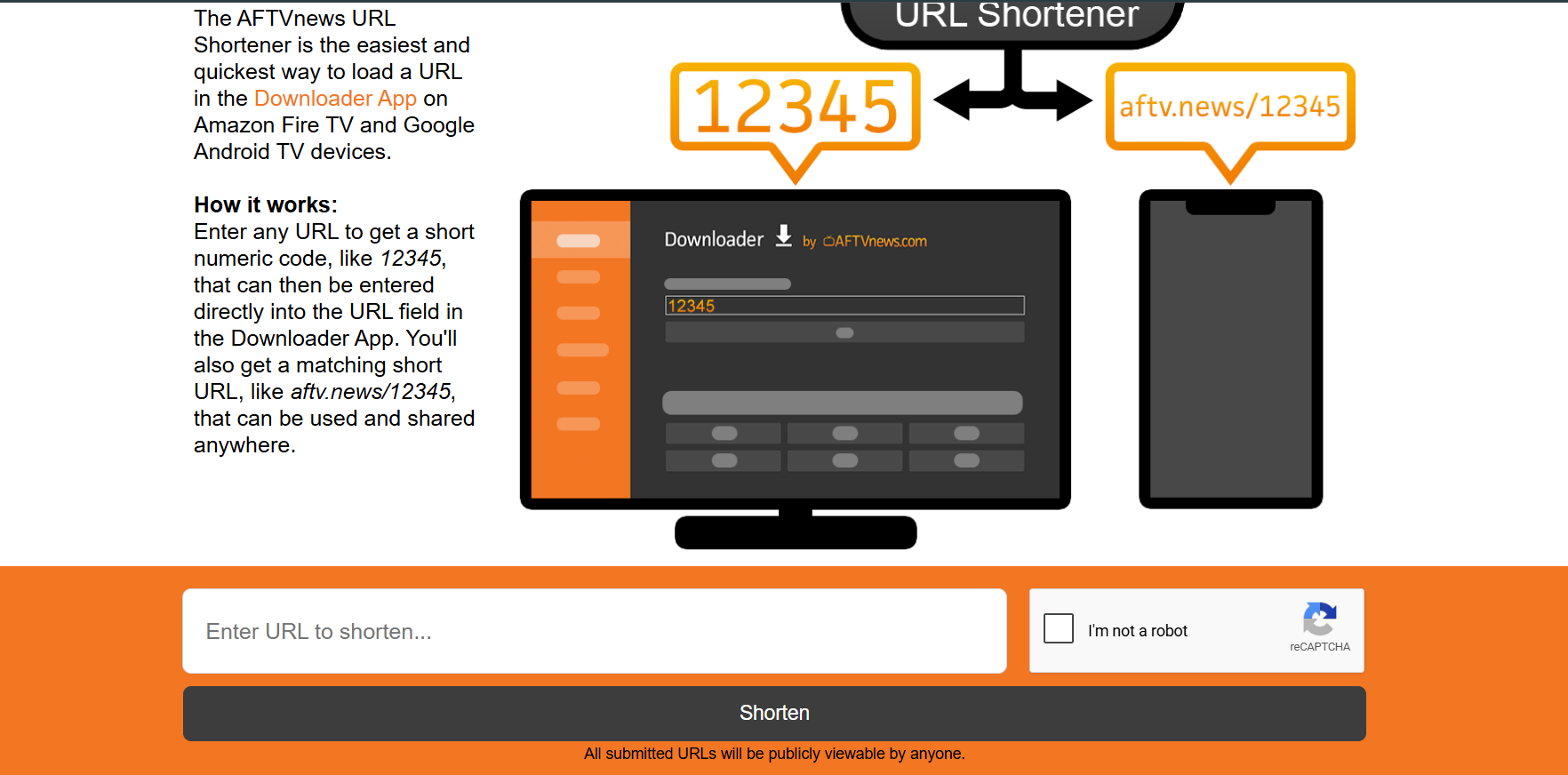
Typing a massive 50-character internet address on a TV remote is frustrating and prone to errors. Our official URL shortener completely eliminates this process, allowing you to instantly convert any massive link into an easy-to-type, 5-digit numeric code.
How It Works: Step-by-Step Guide
Generating and utilizing a code takes less than 10 seconds. Here is the exact process:
-
Step 1: Get Your Long URL
Find the full web address or the direct file link of the app or document you want to download. Copy this link. -
Step 2: Go to the Official Shortener
On your mobile phone or desktop computer, navigate to the official shortener website:https://go.aftvnews.com/ -
Step 3: Generate the Code
Enter your long URL into the provided text box. The system will instantly provide you with two powerful assets:- A short numeric code (like
12345) - A matching short URL (like
aftv.news/12345) that can be linked or shared anywhere.
- A short numeric code (like
-
Step 4: Enter it on Your TV
Pick up your TV remote and open the Downloader App. Instead of typing a URL, simply enter your new numeric code (e.g., 12345) directly into the URL field and click "Go".
The app will immediately recognize the code, bypass the normal web browser routing, and instantly direct you to the exact file or website you originated from.
Ready to use Downloader?
Get the application onto your phone, tablet, or TV device to start utilizing short codes.
Go to Download Hub